
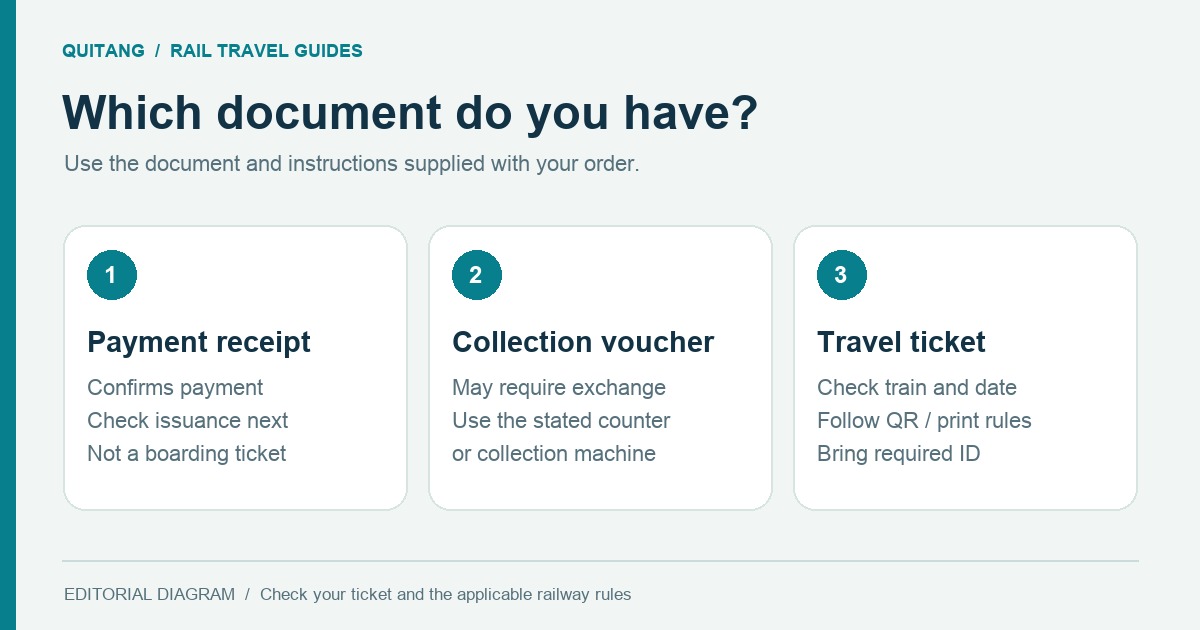
After payment succeeds, how do I confirm whether I can board with an e-ticket?
Successful payment does not mean the ticket has been issued. Check order status and ticket notifications to confirm whether the final credential is an e-ticket, QR code, collection voucher or paper ticket. Prepare documents and printouts as instructed. Follow your order and the railway operator’s rules.
Distinguish payment, ticket issuance and boarding documents
Payment status describes the payment process; issuance status tells you whether a ticket has been produced; the boarding document is what you need at the station. These stages may finish at different times, so the payment page alone is not proof that you can board.
- Payment successful
- The required payment step has been completed
- Ticket issued
- The ticket has been produced or confirmed
- Travel credentials
- The specific e-ticket, QR code, collection voucher or paper ticket required
Save all required information offline before departure
- Save the order number, train, date, full station names and passenger details.
- Download the e-ticket or QR code rather than saving only a web link.
- Prepare in advance if your order requires printing or station collection.
- Carry the valid identity document that matches your order.
A payment screenshot usually cannot replace your final boarding document. Use the ticket and instructions clearly identified in your order.
Follow the instructions for your boarding document
If collection is required, find the counter or machine named in your order. For e-tickets or QR codes, check the correct entrance, identity checks and gate procedure. Platforms, gates and local procedures may change; also follow station displays and railway notices.
Frequently asked questions
A payment screenshot is not a boarding document. Payment does not mean a ticket has been issued. Use the e-ticket, QR code, collection voucher or paper ticket provided in your order, and carry the required identity document.
Not necessarily. Printing, ticket collection and original-document requirements depend on the product and order instructions. Check how to use your particular boarding document before departure.
Save your order number, e-ticket or QR code and boarding instructions offline in advance. Whether validation still needs an internet connection depends on the particular ticket and railway rules.
Official information and travel rules
Use these official channels to check boarding, baggage and entry requirements. Search schedules, fares and availability for your date, and check railway and station notices for temporary changes.
- JR Central ticket and travel informationTicket purchasing, ticket types and travel informationVisit official source: JR Central ticket and travel information
- China Railway 12306 English Help CentreIdentity requirements, child tickets, changes and boarding FAQsVisit official source: China Railway 12306 English Help Centre
- State Railway of Thailand D-Ticket Help CentreHelp with purchases, changes, cancellations and common questionsVisit official source: State Railway of Thailand D-Ticket Help Centre
- Vietnam Railways official websiteVietnam’s north–south railway, schedules and travel informationVisit official source: Vietnam Railways official website
Sources checked:
Content updated: . This guide provides general checks and does not replace your order instructions or the latest railway and government rules. See Quitang Editorial and Fact-Checking Standards。